
Tenada: Graphic Design & Logo
TENADA Corp.Art & Design
4.6355.00 Reviews
- Version
- 6.4.5
- Installs
- 1.00M
- Age Rating
- Everyone
Screenshots
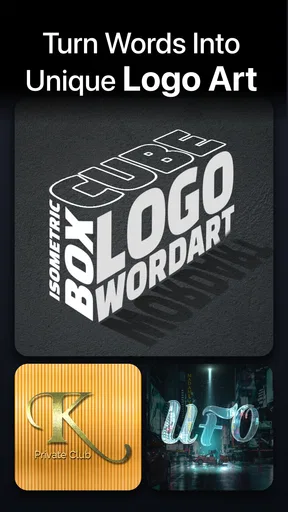
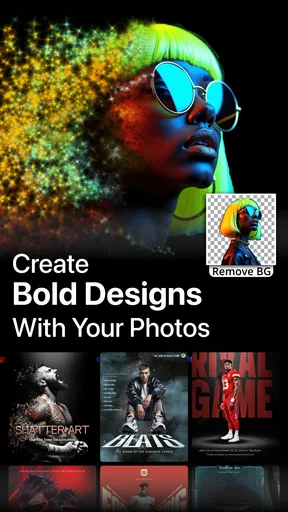
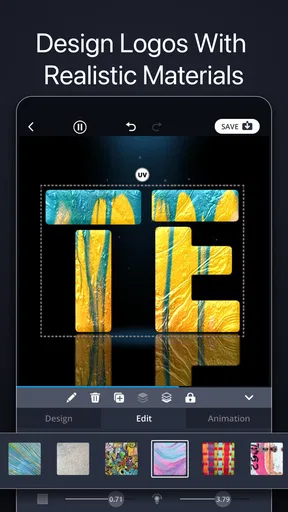
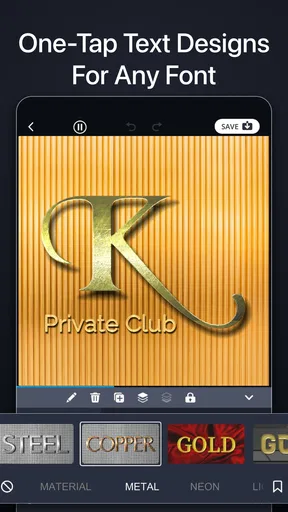
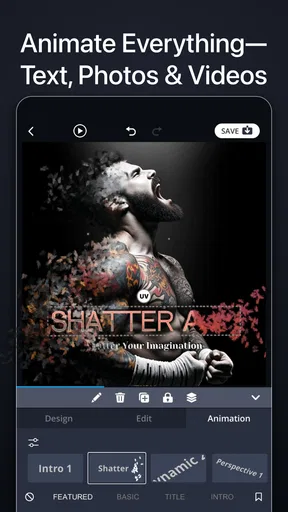
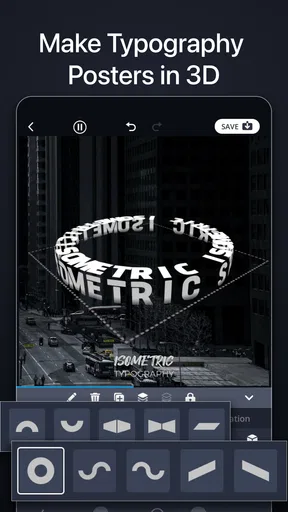
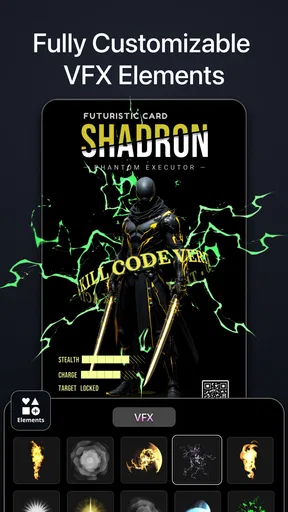
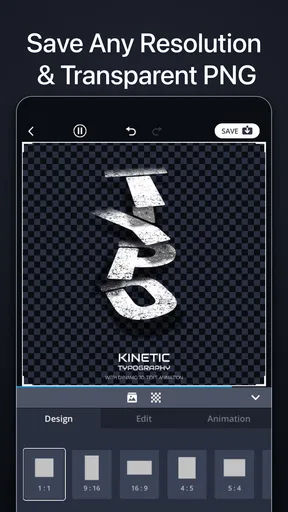
Our Review of Tenada: Graphic Design & Logo
 Analysis by Appyee
Hey there! If you’re looking to dive into the world of design without needing a degree in graphic arts, let me introduce you to Tenada: Graphic Design & Logo. It's your new best friend for creating stunning visuals right from your smartphone. Whether you’re a budding entrepreneur or just someone who wants to spruce up your social media game, this app has got you covered.
Getting Started with Tenada
So, I downloaded Tenada: Graphic Design & Logo out of pure curiosity, and let me tell you, the setup was a breeze. Once you open the app, you're greeted with a sleek interface that doesn’t feel overwhelming—perfect for beginners like me who might feel a bit intimidated by design software.
Upon launching, you’re prompted to create an account or jump right in as a guest. I chose the latter because, let's be honest, who wants to remember another password? But if you’re planning to save your work, signing up might be a good call.
Designing Like a Pro
Now, onto the fun part—designing! The app offers a wide range of templates to get you started. Whether you want to create a logo, flyer, or Instagram story, Tenada has templates galore. I decided to try my hand at making a logo for my imaginary coffee shop, "Bean There, Done That."
The app offers a bunch of customization options. You can tweak colors, fonts, and images to your heart's content. My favorite feature? The drag-and-drop functionality. It’s like playing with digital Legos, but instead of building a castle, you’re crafting a masterpiece.
Features That Stand Out
One of the standout features of Tenada is its extensive font library. You know how sometimes you find the perfect font, but then you realize it’s not available in the app you’re using? Well, that’s not an issue here. From bold and sassy to elegant and refined, Tenada has a font for every mood.
Another cool feature is the app's built-in stock photo library. You don’t have to leave the app to find the perfect image for your design. And if you’re someone who likes to keep things personal, uploading your own photos is just a tap away.
Why You’ll Love It
Tenada isn’t just about the bells and whistles. What truly makes it shine is its ease of use. I mean, I’m no Picasso, but this app makes me feel like one. The intuitive interface means there’s little to no learning curve, which is a huge plus in my book.
Another thing I dig about Tenada is the community aspect. You can share your creations and get feedback from fellow users. It’s like having a mini design community in your pocket. Plus, seeing what others are creating can be super inspiring.
The Verdict
All in all, if you’re looking for a user-friendly design app that doesn’t skimp on features, Tenada: Graphic Design & Logo is worth checking out. It’s perfect for both newbies and seasoned designers who want to create on the go.
So, whether you’re crafting a logo for your side hustle or just want to make your Instagram stories pop, give Tenada a whirl. I promise, you’ll be amazed at what you can create!
Verdict
Strengths of Tenada: Graphic Design & Logo
- User-friendly interface for beginners.
- Wide variety of templates available.
- Customizable elements for unique designs.
- High-quality export options.
- Affordable subscription plans.
Limitations of Tenada: Graphic Design & Logo
- Limited advanced editing tools.
- Occasional in-app ads.
- No offline mode available.
- Some features locked behind paywall.
- Limited font selection.
Similar Picks in This Category
View All
Canva: AI Photo & Video Editor
Canva4.8

PENUP – Drawing-sharing SNS
Samsung Electronics Co., Ltd.4.5

Crafto
Kutumb App4.6

Sketchbook
Sketchbook4.1

ibis Paint X
ibis inc.4.5

Adobe Express: AI Photo, Video
Adobe4.6
Frequently Asked Questions
What features does Tenada: Graphic Design & Logo offer?
Tenada provides a comprehensive suite of design tools for creating stunning graphics and logos. It includes customizable templates, a wide range of fonts, color palettes, and editing tools. Users can also access a library of icons and images to enhance their designs, making it suitable for both beginners and experienced designers alike.
Is Tenada suitable for beginners in graphic design?
Yes, Tenada is designed with user-friendliness in mind, making it ideal for beginners. The app offers intuitive navigation and easy-to-use templates. Its drag-and-drop functionality and step-by-step guidance help novices create professional-looking designs without requiring extensive design skills or prior experience.
Are there any costs associated with using Tenada?
Tenada offers a free version with basic features, which is great for casual users. However, to unlock advanced tools and additional resources such as premium templates and high-resolution exports, a subscription or one-time purchase might be necessary. Pricing details are available within the app store listings.
Can I use Tenada on both Android and iOS devices?
Yes, Tenada is available for download on both Android and iOS platforms. This cross-platform availability ensures that users can seamlessly work on their designs across different devices, whether it’s a smartphone or tablet, providing flexibility and convenience wherever you are.
Does Tenada offer support for exporting designs in various formats?
Tenada supports exporting designs in multiple formats, including PNG, JPEG, and PDF, making it easy to share or print your creations. Additionally, the app allows customization of export settings, so you can choose the resolution and quality that best suits your needs for different projects.
